Stop scams before they stop your wallet
One clever link is all it takes. A fake "your parcel is on hold" text, a perfect copy of your bank's login page, a "too good to be true" deal that steals your card. Scam Guard stands between you and all of it — in real time, and completely free.
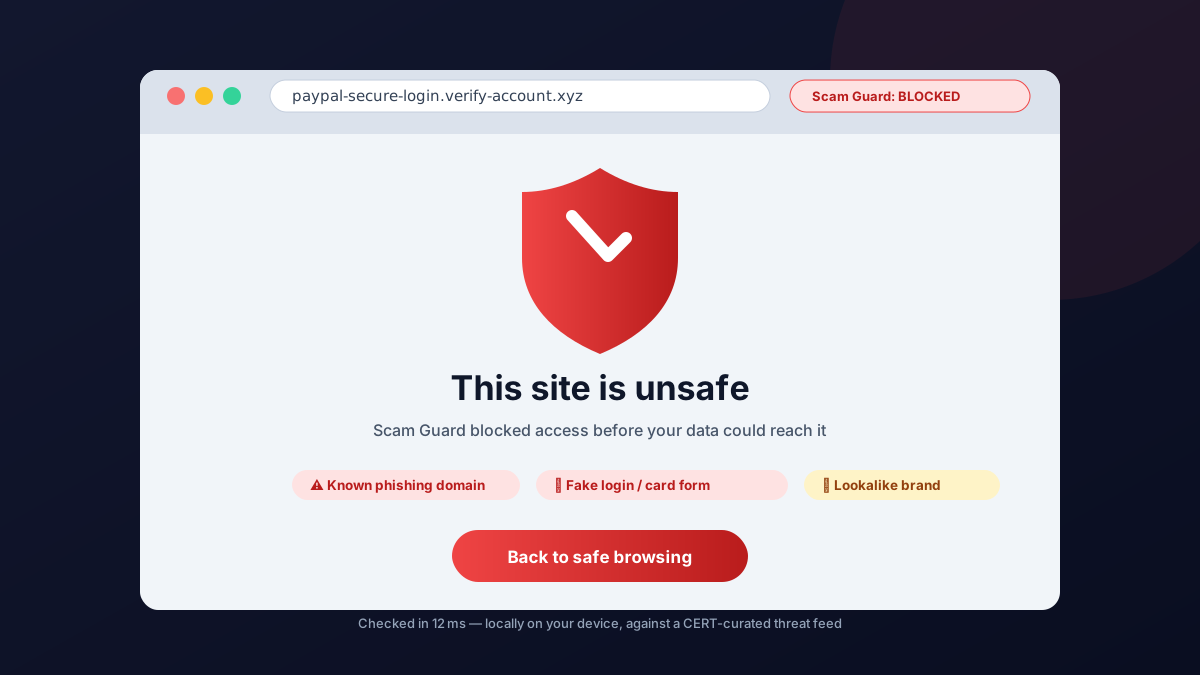
Every site you open is checked in milliseconds. If a page is a known phishing, scam or malware site, you never see it: a full-page warning blocks the way and tells you exactly why the site is dangerous.
Everything you get — 100% free
Everything is free, forever. No trials, no credit card, no locked features, no plan upgrades.
- 🔛 Real-time site checks — every tab, every redirect, verified against a trusted malicious-domain list before the page can load.
- 🎣 Phishing detection — fake login pages and look-alike domains ("paypaI.com" with a capital I) are caught instantly.
- 💳 Card & password form protection — malicious links, dangerous login forms and fake checkout pages are flagged before you can enter sensitive data.
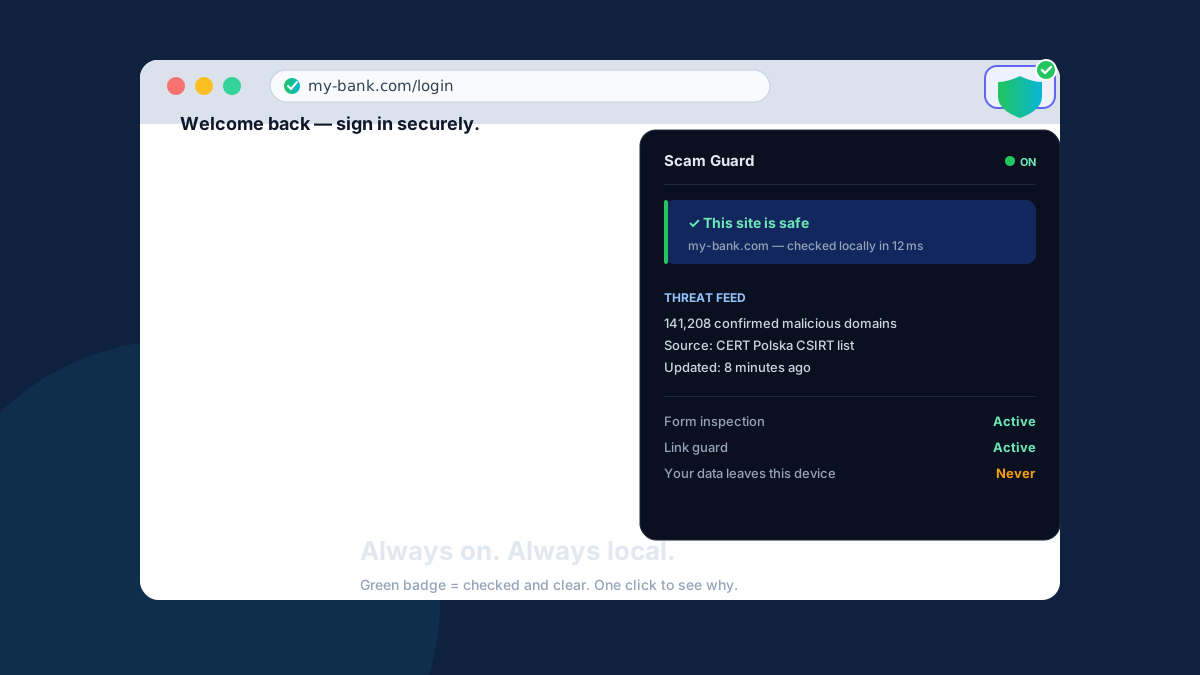
- 🌍 Trusted intelligence — the threat list comes from CERT Polska, a national computer-security incident response team, refreshed automatically in the background.
- 🤫 Silent when it's safe — sites that pass stay untouched. A discreet green badge is all you'll notice.
- 🎛️ Your choice of style — a full blocking warning page, or a subtle badge for sites the feed rates lower.
- 📋 Plain-language reasons — when something is blocked, you see why: known phishing, scam, malware, or fake payment form.
- 🖥️ Works on every browser you already use — Chrome, Edge, Firefox and Opera. One install, instant protection.
- 🔒 Private by design — all checks happen locally on your device; your browsing history never leaves it.
Set it up in 60 seconds — how to use Scam Guard
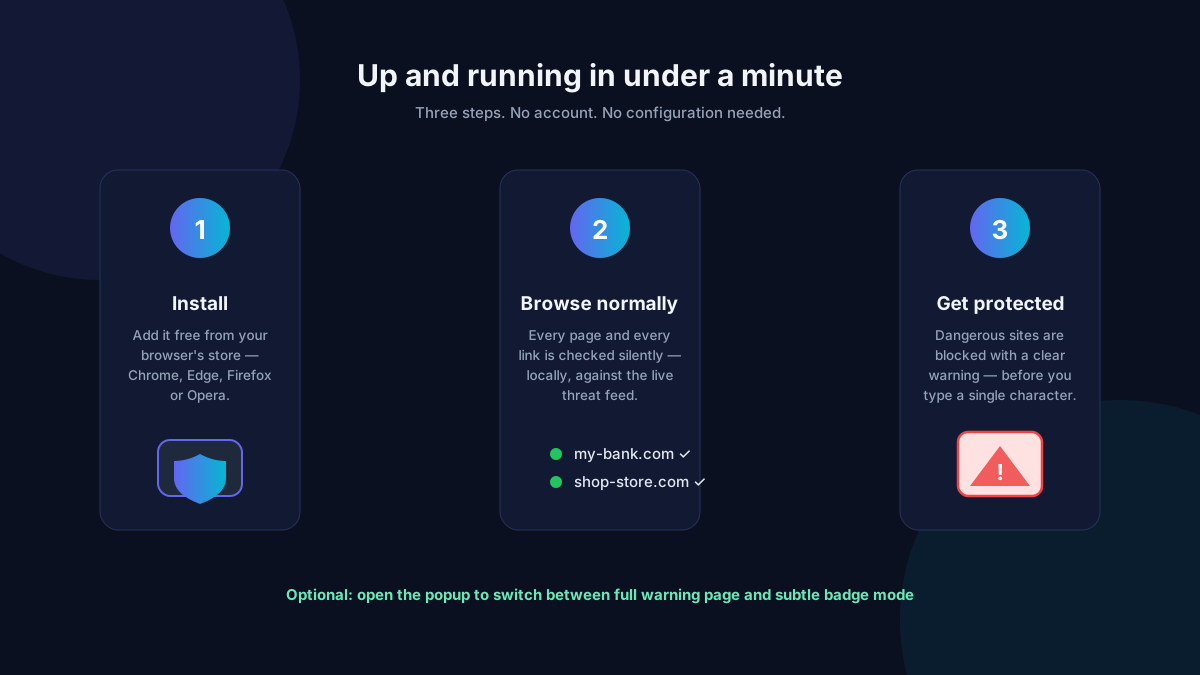
- Install it. Choose your browser's button above. Your store handles the rest — no sign-up, no settings to configure.
- Browse like always. There's nothing to remember and nothing to click. Scam Guard quietly checks each site and link against fresh threat intelligence before it can hurt you.
- Trust the shield. The toolbar badge is green when a site is clear. If it ever turns red, a warning page will show you exactly why the site is dangerous.
Why people trust UsefulOrbit tools
- 🕵️ A threat list that actually matters — domains confirmed malicious by security researchers at a national CERT, not a crowdsourced wishlist.
- ⚡ Millisecond checks — protection that never gets in the way of normal browsing.
- 🧍 Honest & transparent — public methodology, regular updates and a clear privacy policy.
Your privacy — the whole story
Scam Guard is local-first:
- The threat list downloads to your browser. Site checks happen on your device.
- Your browsing history, visited URLs and clicked links are never sent to us or to anyone else.
- We ask for the narrowest permissions the job allows — nothing more.
- No ads. No trackers. No data selling. There is nothing to upgrade — everything is free.
What's happening under the hood
- A page is about to load → Scam Guard resolves its domain.
- The domain is matched against a local copy of the malicious-domain feed.
- On the page, Scam Guard inspects risky links (like
https://[email protected]) and login or card forms on untrusted origins — all without ever reading what you type.
- Dangerous → bold warning page. Suspicious → badge on the toolbar. Safe → you notice nothing at all.
The threat feed is refreshed automatically in the background, every few hours. You decide how strict to be.
Scam Guard protects against
- Phishing sites — fake logins for banks, email, PayPal, crypto wallets and shops.
- Parcel & invoice scams — "pay a small customs fee", fake invoices and refund scams.
- Tech-support & giveaway scams — scary popups and fake prizes designed to harvest card details.
- Malware & exploit pages — drive-by downloads and exploit kit domains on confirmed lists.
- Fake stores — brand knock-off shops and non-delivery sellers.
Frequently asked questions
Is Scam Guard really free?
Yes — 100%. Every feature is free for every browser. No premium tier, no trial, no catch.
Which browsers are supported?
Chrome, Edge, Firefox and Opera (Chromium-based). Pick your button above — protection starts immediately.
Does it check my history or send my browsing anywhere?
No. The malicious-domain list downloads into your browser and every check runs locally. We never see which sites you visit.
Where do the threat list and detection logic come from?
The domain blocklist is CERT Polska's public feed of confirmed malicious sites — the same class of national-CSIRT intelligence commercial security vendors use — refreshed automatically.
Will it slow my browser down?
No. Checks are local, cached and finish in a few milliseconds.
I'm not very technical — can I use it?
Absolutely. Install from your browser's store and you are done; it protects your entire family at any age.