Before your browser can load any site, it must translate the domain name (usefulorbit.com) into an IP address. That translation — a DNS lookup — is a plaintext request sent to whatever DNS server your device is configured to use, normally your internet provider's. Your ISP can see every single domain you resolve. That is the DNS privacy problem: the whole trail of what you visit is visible in your DNS traffic before any page even loads.
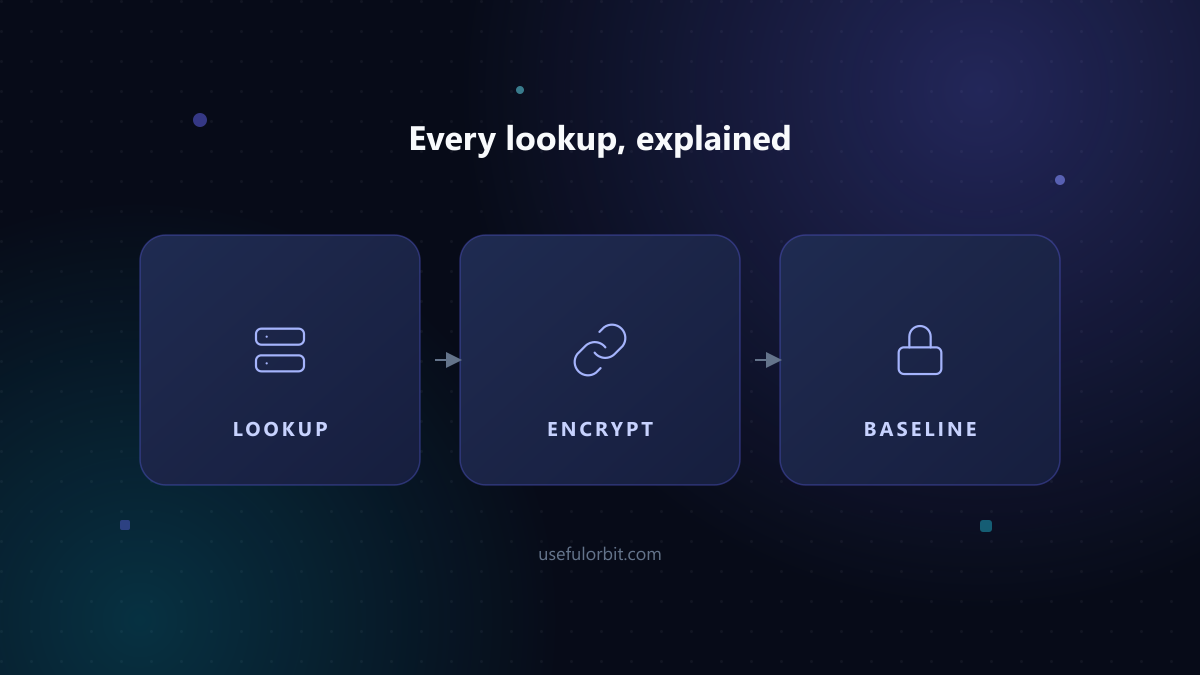
What happens on every lookup
- Your browser needs
example.com. - Your OS/router sends a DNS query to the configured resolver — usually your ISP.
- The resolver answers with an IP, and the connection proceeds.
The lookup itself is usually sent in plaintext (traditional DNS over UDP). Your ISP logs it. Anyone on your network segment could in theory see it too. Meanwhile the actual page connection is encrypted (HTTPS), so the ISP sees the domain you visit but not the page content — the domain alone is often enough to build a sensitive profile.
Why this matters
- ISPs see every domain you visit, can log it, and (in some countries) sell or share it.
- Public Wi-Fi operators can capture DNS queries from devices using plaintext DNS.
- Government filtering relies on DNS interception in several regions.
- The tracking is site-by-site consistent — one resolver sees your whole history, which is worse than fragmented cookie tracking.
How encrypted DNS helps
Encrypted DNS hides the lookup itself, so the watcher sees only the destination IP (the address of the website's server), not the domain name. Three standards are in wide use:
- DNS-over-HTTPS (DoH): lookups wrapped in HTTPS to a trusted resolver.
- DNS-over-TLS (DoT): lookups wrapped in TLS.
- DNSSEC: not encryption — it signs DNS answers so they cannot be forged. It does not hide what you look up; pair it with DoH for both privacy and integrity.
An important nuance: encrypted DNS moves trust from your ISP to your chosen resolver (Cloudflare, Google, Quad9, or a privacy-focused provider). You are not anonymous — you are changing who sees the list of domains.
How to set it up
In the browser (quickest):
- Firefox: Settings → Privacy & Security → DNS over HTTPS → Max Protection (and choose a resolver).
- Chrome / Edge / Opera: enable "Secure DNS" in browser settings, or use the OS-level setting below; Chrome reads the system resolver by default unless you enable its own DoH toggle.
- Opera and Edge expose their own Secure DNS toggles in Privacy settings — see Opera Privacy Settings and Edge Privacy Settings.
System-wide (covers all apps, not just the browser):
- Windows: Settings → Network & Internet → Wi-Fi/Ethernet → DNS server assignment → Edit → Manual → choose a DoH provider and turn on Preferred DNS encryption.
- macOS: System Settings → Network → your connection → Details → DNS → add a DoT/DoH-capable resolver address.
- Router: many home routers (and Pi-hole setups) support DoH/DoT upstream; this also protects devices that ignore system DNS.
Use well-known, audited resolvers. Examples: Cloudflare 1.1.1.1, Quad9 9.9.9.9 (blocks malware domains), and privacy-focused providers that publish their policies.
What encrypted DNS does NOT do
- It does not hide the destination IP. If your DNS resolver is also a major CDN or search company, or if the site you visit hosts its content on a provider that knows your IP, the trail can still be connected.
- It does not hide domain names from the site's hosting. The HTTPS handshake reveals the domain (via SNI/TLS) to the hosting provider, and to middleboxes in some networks. Encrypted Client Hello (ECH) mitigates this but is still rolling out.
- It does not stop ISP-level fingerprinting of your traffic patterns (timing, volume).
- It does not replace a VPN, which hides IPs and traffic from both the site and the network.
The practical baseline
- Enable Secure DNS/DoH in your browser (2 minutes).
- Enable it at the OS/router level so other apps use it too.
- Keep using HTTPS everywhere; pair with Browser Privacy Guide settings.
- If you need real anonymity (not just privacy), that is a VPN or Tor's job — not DNS settings.
 Every lookup, explained
Quick answers
Is my DNS currently visible to my ISP? Unless you already changed it, yes. Most home connections use the ISP's resolver, and it sees every domain you resolve.
Is Cloudflare's 1.1.1.1 private? Cloudflare publishes a clear privacy policy and is widely audited, but "private" is a matter of which company you trust — you are trading your ISP's log for theirs. Quad9 and several independent providers are alternatives with different business models.
Does using DoH slow down the internet? Negligibly. DoH adds one HTTPS handshake to the resolver; on modern connections it is usually faster than the ISP's legacy resolver.
Can my employer still see my browsing if I enable DoH? If it is a managed device or network with TLS inspection, yes — the corporate policy typically overrides or intercepts DoH. DoH is a consumer privacy control, not a bypass for corporate monitoring.
What is a "DNS leak"? When you think all lookups use an encrypted/VPN resolver but some (from a misconfigured app or router) go out in plaintext to the ISP. VPNs and privacy browsers have "leak test" pages that check whether your resolver still matches your chosen provider.
Sources and related reading
- Browser Privacy Guide
- Firefox Privacy Settings
- Third-Party Cookies, Explained
- Browser Fingerprinting
- RFC 8484: DNS-over-HTTPS
- EFF: DNS Encryption Explained
Written by Hassan Arshad, founder of UsefulOrbit. Last updated August 31, 2026.